Microsoft Edge Browser: web components & UX enhancements
The work. I built reusable, performant web components for Microsoft Edge using the FAST framework, extending Fluent UI Web Components to support key browser features. Everything here shipped in production inside Edge, and most of it was built for other teams to consume in their own surfaces.
Scope
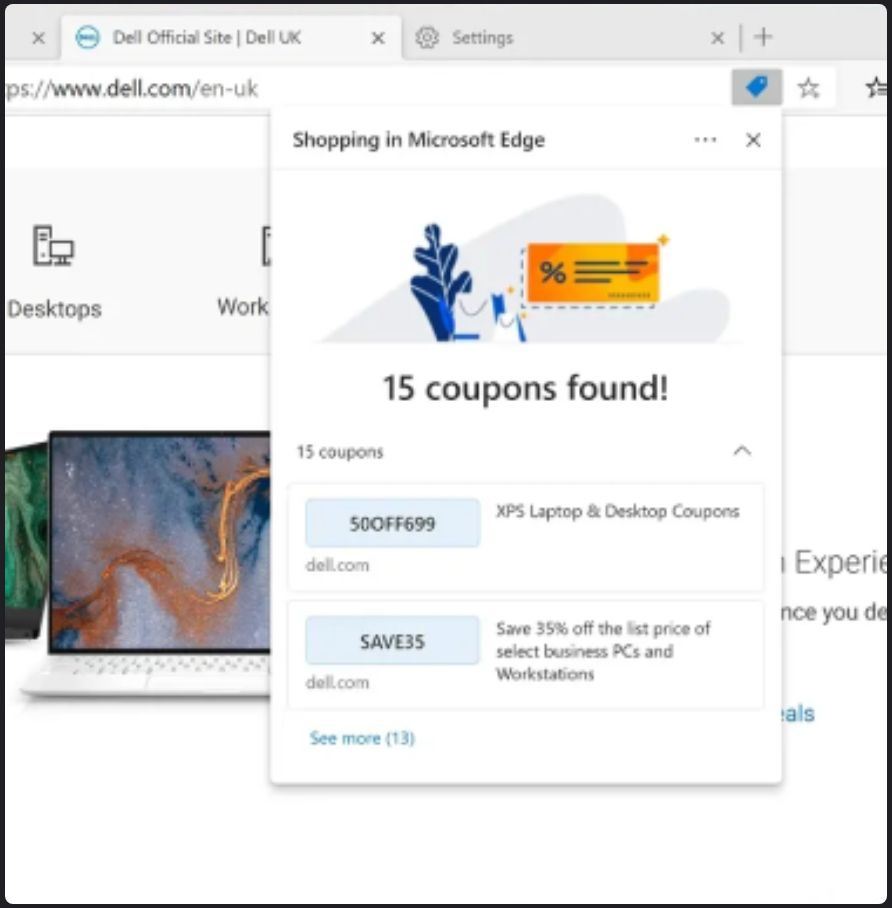
- Edge Shopping. Developed the coupon, cashback, and shopping-recommendation components, consumed and implemented by partner teams.
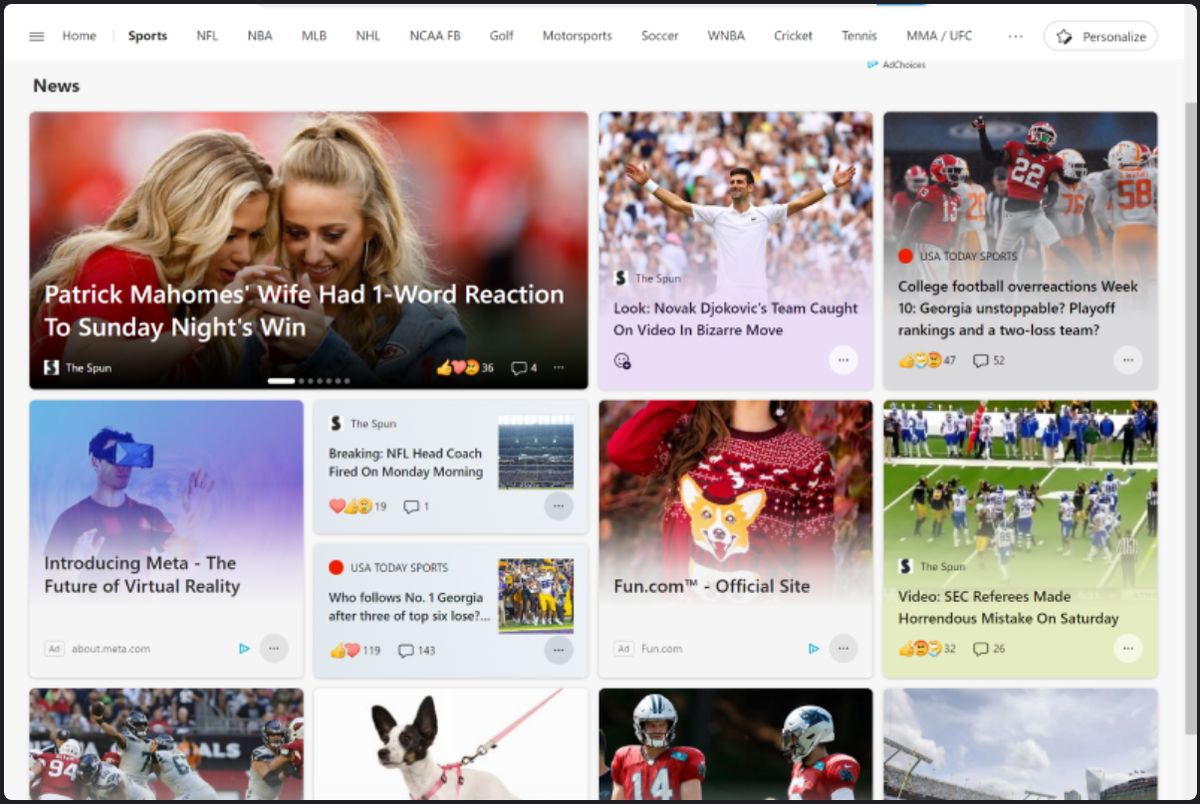
- News Feed. Iterated on the article, info-pane-ad, and native-ad components, the main pieces you see on the feed.
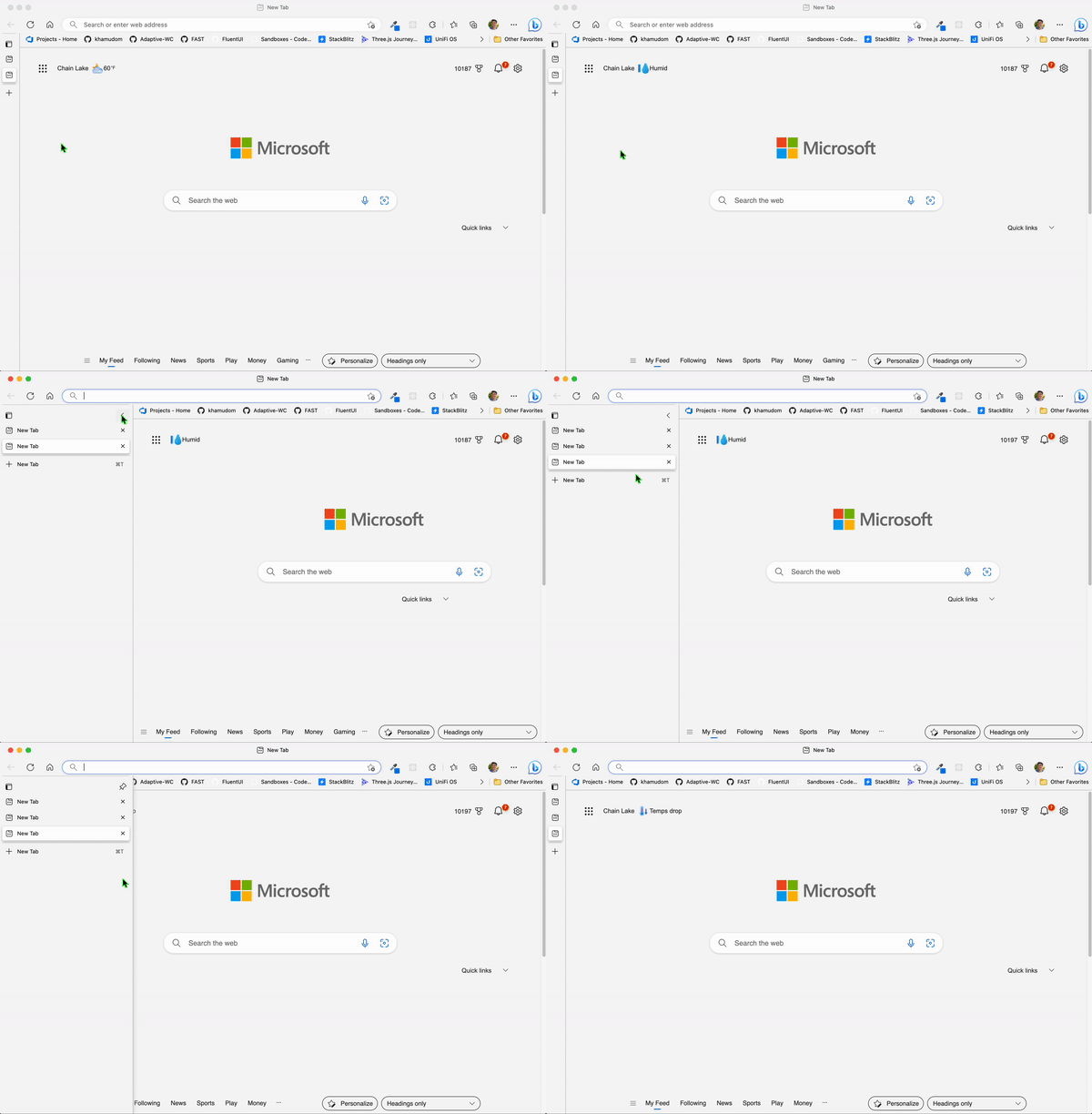
- Vertical Tabs. Prototyped motion behaviors for the tab panel's slide-out and slide-in animation.
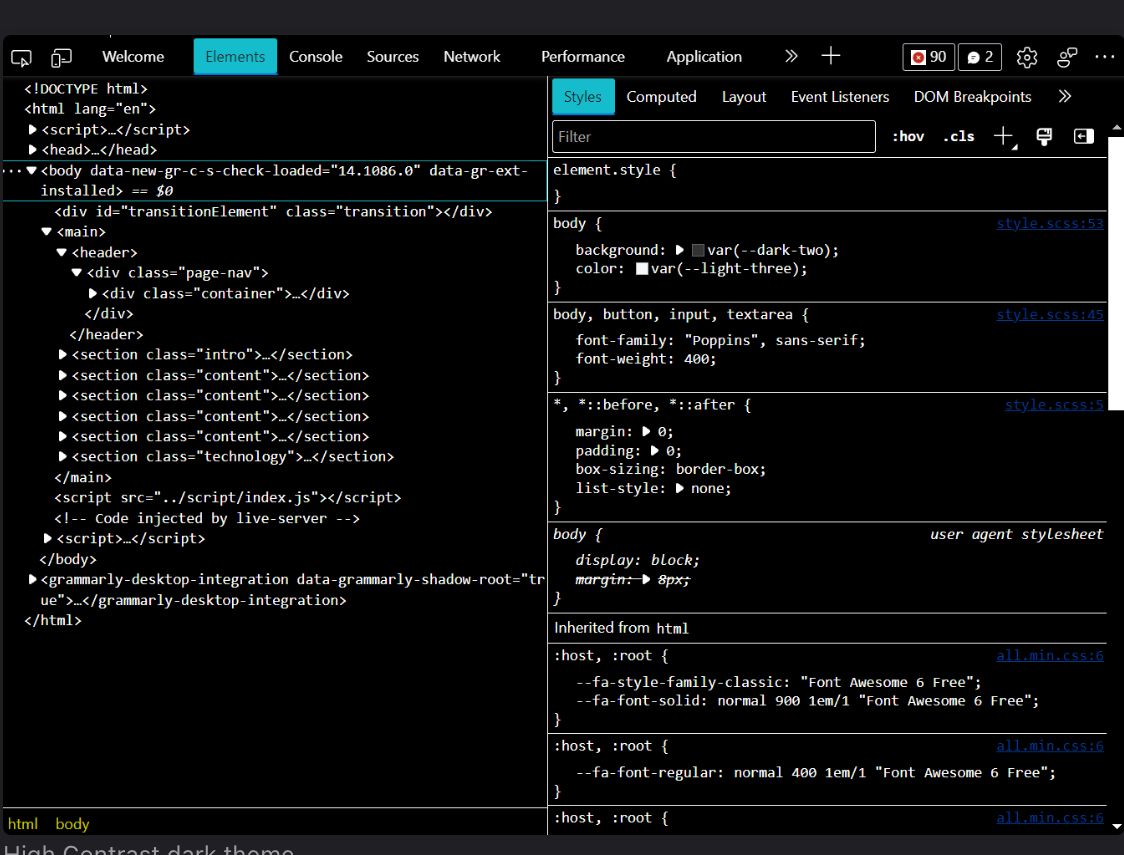
- Developer Tools accessibility. Made DevTools visually accessible in Windows high contrast (forced-colors) mode, in consultation with the Edge DevTools and Chromium teams.
Microsoft Edge Shopping
A browser feature that gives online shoppers multiple ways to save money. I built the coupon, cashback, and shopping-recommendation components that power it, designed as reusable pieces that partner teams consume and implement in their own surfaces.
News Feed
Edge ships a customizable news feed on the new tab page. I helped iterate on the article, info-pane-ad, and native-ad components, the primary building blocks of everything you see on the feed.
Vertical Tabs
Vertical Tabs lets users dock their tabs along the side of the browser window. I built a working prototype so the motion designer could iterate directly on the slide-out and slide-in animation of the collapsed tab panel, tuning the real thing instead of an approximation.
High contrast for Developer Tools
This one reached past Edge into Chromium itself. With forced-colors mode on (Windows high contrast), parts of Developer Tools were visually broken. Working with the Edge DevTools and Chromium teams, I applied forced-colors fixes to each broken element. And because the fixes landed in Chromium, every browser built on it got the benefit.
What transfers
I know what it takes to build components that teams I've never met can pick up and use, because that was the job. When your code ships to a few hundred million people, you learn to care about the unglamorous parts: documentation, edge cases, performance. And when a fix belongs upstream, I put it there. The high contrast work went into Chromium, so it helps every browser built on it.