Xbox One Dashboard: UI development & prototyping across multiple releases
The work. I helped shape the Xbox One Dashboard across its 2013 launch and the major 2015 and 2017 releases. The work was high-performance UI development and prototyping in XAML and MVVM, for an interface millions of players used every day from the couch.
Scope
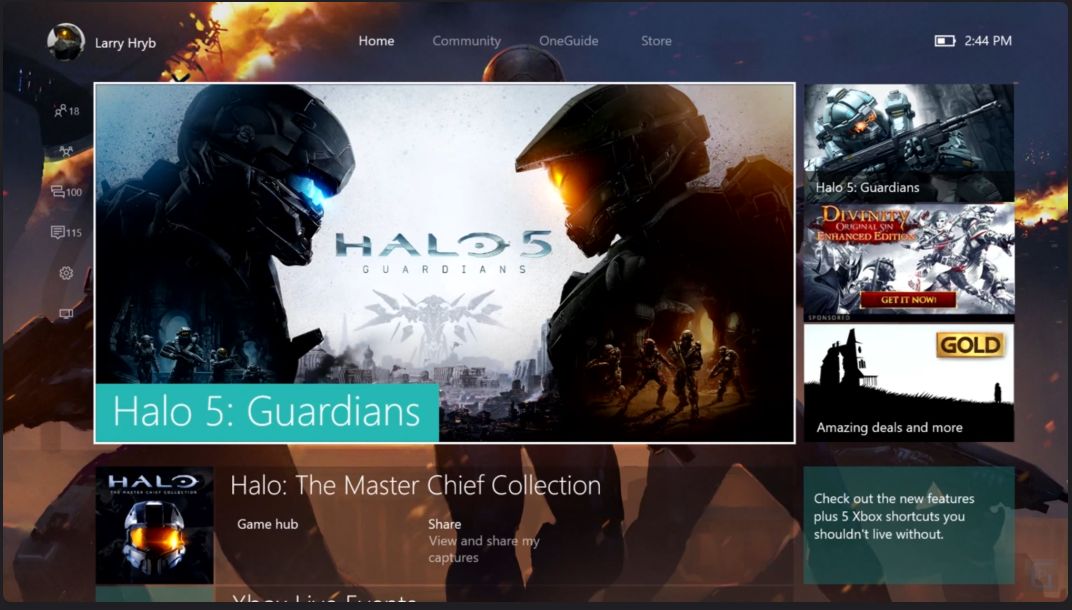
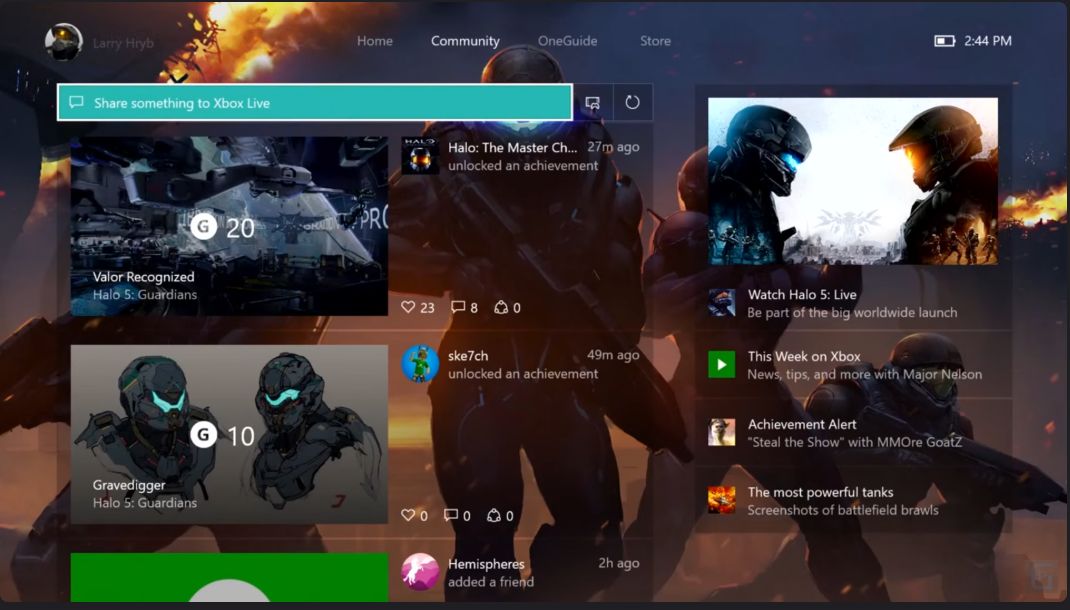
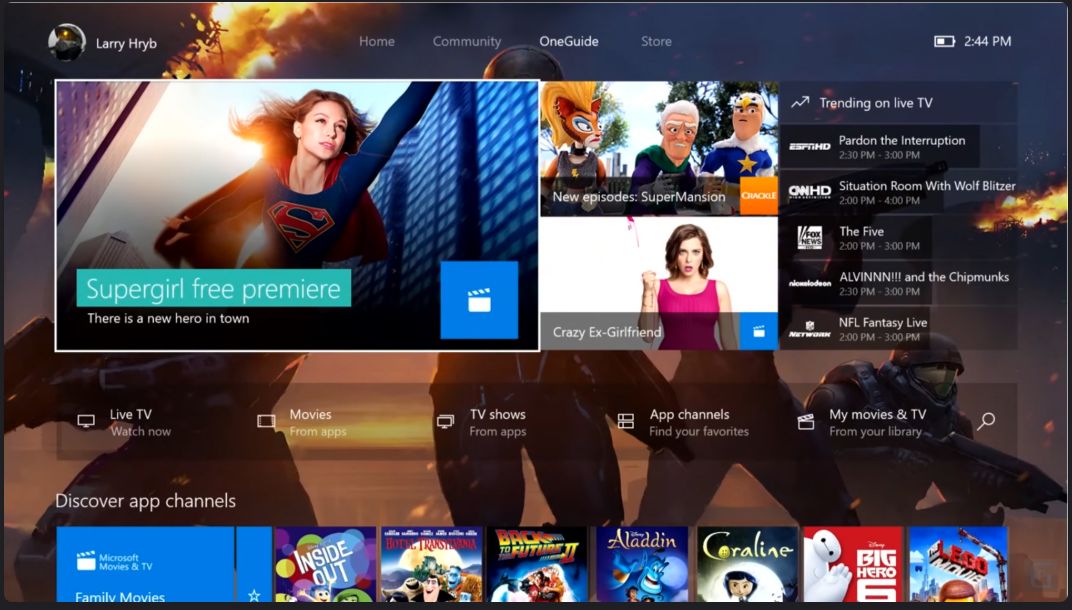
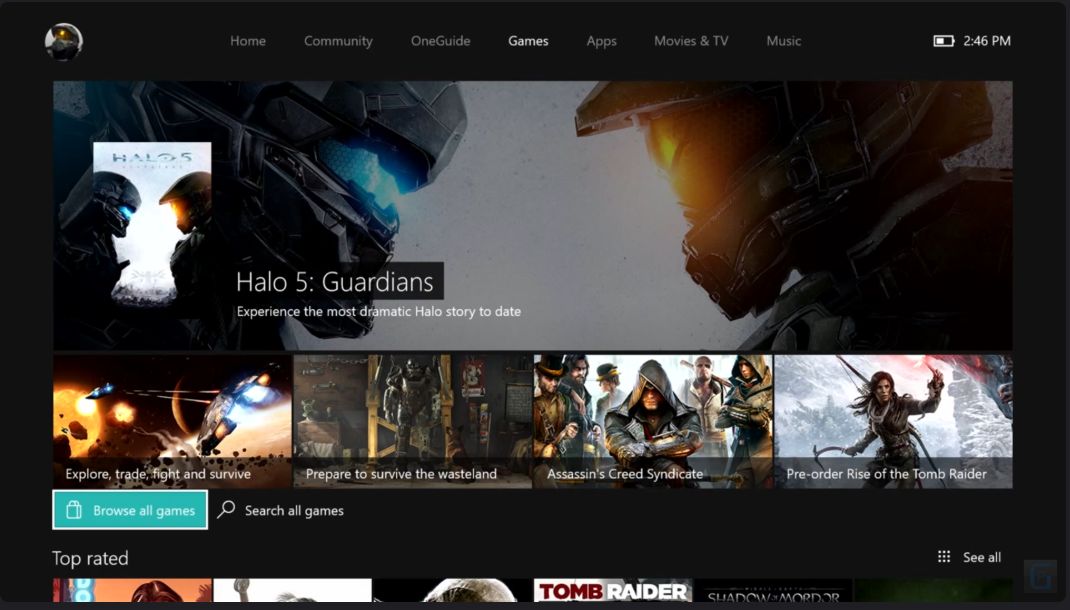
- Core dashboard panels. Built core UI components for the Home, Community, Store, and One Guide panels of the dashboard.
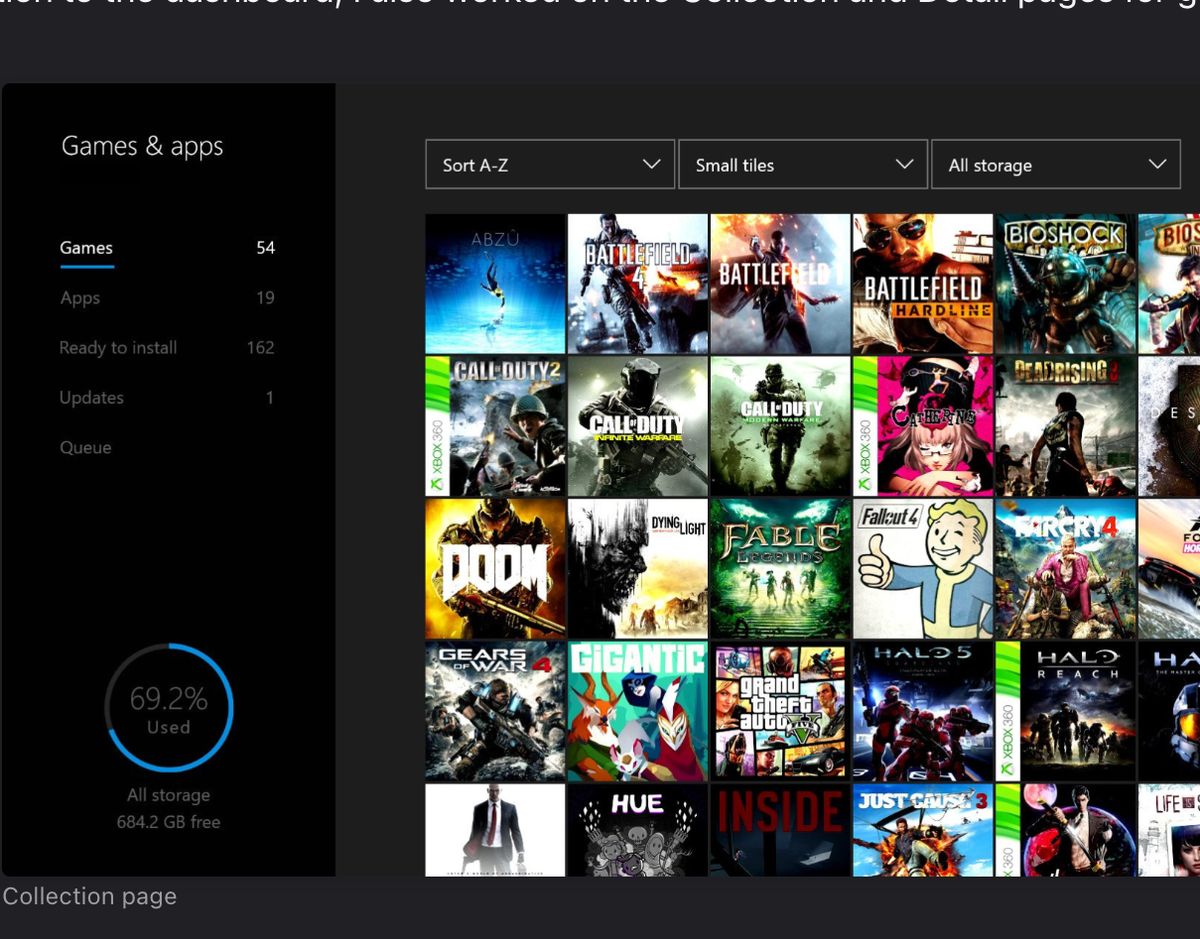
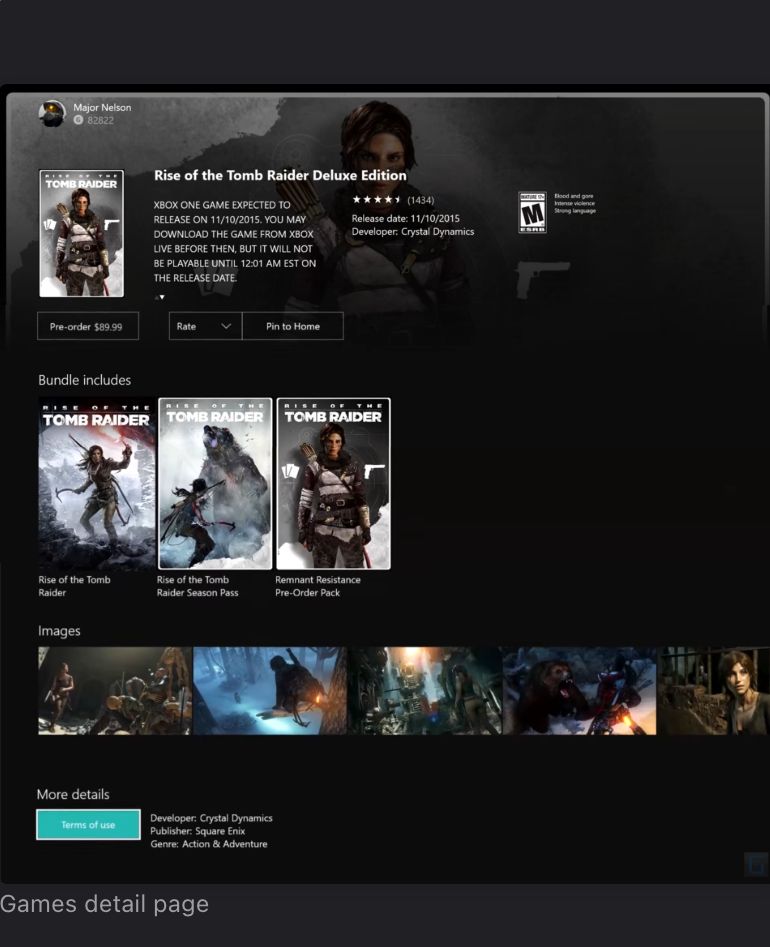
- Collection & Detail pages. Developed and maintained the Collection and Detail pages for games and apps, improving content discoverability and UX.
- Interactive prototypes. Created prototypes to validate design ideas, influence future updates, and accelerate production workflows.
- Architecture. Applied XAML data binding and followed the MVVM pattern for scalable, maintainable front-end development.
- Performance for the living room. Used internal Xbox tools like Compass to build performant UIs optimized for TV screen environments.
2013 Dashboard release
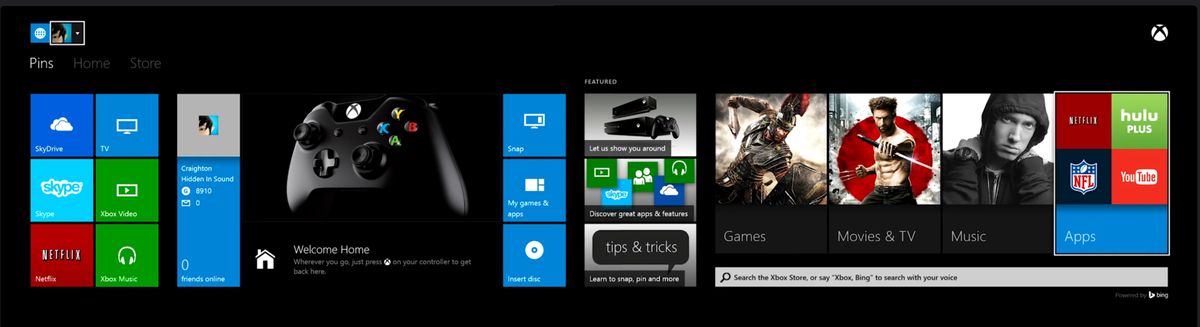
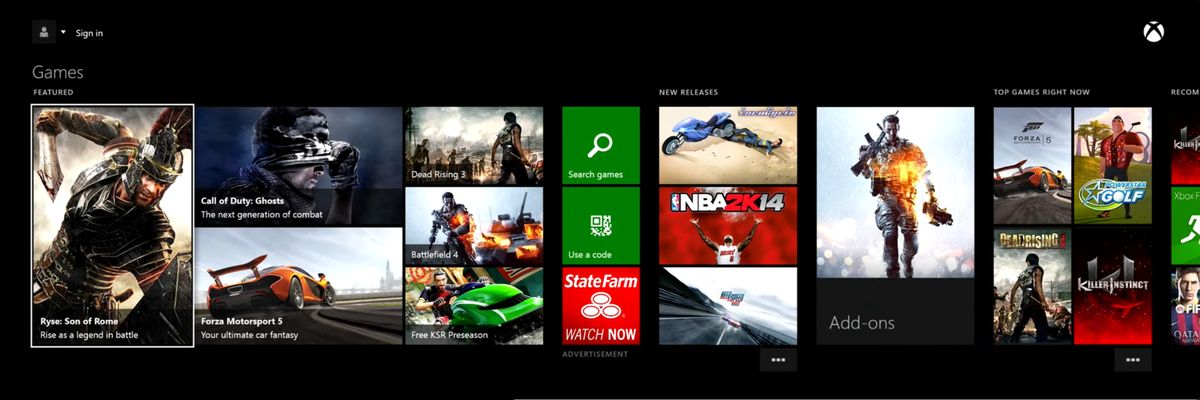
The launch dashboard for a brand-new console generation: pins, Home, and Store, with a tile system balancing games, apps, and media.
2015 Dashboard update
A major redesign of the dashboard's core panels. I built UI across all four surfaces:
2017 Dashboard release
The October 2017 update brought a lighter, content-forward home with blocks for what you're playing, following, and watching.
Collection and Detail pages
Beyond the dashboard itself, I worked on the Collection and Detail pages for games and apps, the library views where players sort, filter, and manage everything they own.
What transfers
On a console there is no mouse. Every screen I built was navigated with a controller, so focus management became muscle memory long before I ever read a WCAG checklist. Shipping the same codebase through three console releases also taught me to build components that survive a redesign. And I'm used to hard limits: fixed hardware, and type that has to stay legible from the couch.